Dual apps on any Android phone
A dual app is a second copy of one app, signed in to a different account. Many phone brands offer it for a short list of apps and only on their own phones. Duo Clone gives you dual apps for the apps you choose, on Android 6 to 16.
What is a dual app?
A dual app is two copies of one app on the same phone, each signed in to a different account. Each copy keeps its own sign-in, so you never have to log out and back in again.
Duo Clone makes dual apps for the apps you choose. It copies an app already installed on your phone and runs the copy next to the original, on Android 6 to 16.
When do dual apps help?
Have two numbers
Use a chat app with the account for each SIM.
Answer customers
Keep the business account open without hiding your own.
Share a phone
Give someone their own copy with their own login.
Does my phone already have dual apps?
Often, yes. Many phone brands ship their own feature, for example Dual Messenger on Samsung phones and Dual apps on Xiaomi phones. Names and menus differ by brand and software version, and these features usually cover only some apps and only that brand’s phones.
Brand by brand: dual apps built into your phone
How do built-in dual apps compare with Duo Clone?
The built-in feature is the easiest start when your phone has it and it covers your app. Duo Clone is for when it doesn’t: it works on Android 6 to 16 phones and lets you choose the app.
Samsung’s Dual Messenger is the best-known example. It works with the apps Samsung lists as supported, marks the second copy with a Dual Messenger symbol on its icon, and exists only on Galaxy phones that include it.
Have a Galaxy phone? Dual Messenger on Samsung: setup and limits
How is Duo Clone different from a work profile, private space or Secure Folder?
A work profile, the private space built into Android 15 and later, and Samsung’s Secure Folder are system spaces: each runs apps in a separate profile and gives you one more copy of an app. Duo Clone makes copies inside one app instead, up to 5 per app in one go, each with its own name and colour, on Android 6 to 16.
The system spaces keep apps apart more strongly, because each is its own Android profile. Duo Clone’s copies share one Android identity, so they separate accounts but are not a vault. A work profile is usually set up by an employer, the private space needs Android 15 or newer, and Secure Folder is on Samsung Galaxy phones only.
Duo Clone’s Private Space only holds copies inside Duo Clone. It is not the private space built into Android 15, which you set up in your phone’s Settings.
How do I run two accounts with Duo Clone?
Pick the app, make a copy, then sign in with your second account. Duo Clone builds the copy beside the original and both stay signed in. Give the copy its own name and colour so you can tell the two apart.
Pick the app
Choose an app already installed on your phone.
Make a copy
Duo Clone builds it beside the original.
Sign in
Log in to your second account inside the copy.
The full walk-through: run two accounts on one Android phone
Do both accounts get notifications?
Yes, once you allow notifications for Duo Clone. Duo Clone does not rename a copy’s alerts, so a notification on its own may not show which account it is for. The copy’s name, icon and colour inside Duo Clone are what tell the two accounts apart.
If one copy stays silent, long-press it in Duo Clone to open its menu and check that Allow notifications is on: each copy has its own switch, and turning it off mutes only that copy.
Can I run more than two?
Yes. Duo Clone makes up to 5 copies of an app in one go and you can add more later, so the original plus two copies gives you three accounts, and so on. Each copy keeps its own sign-in, and the quick-switch bubble jumps between the ones that are running.
What won’t work in a dual app?
Banking and wallet apps won’t work: apps that ask Android for a secure environment are blocked from copies on purpose. Duo Clone also doesn’t change device IDs or fake your location, so a copy is your phone signed in twice. Copies share your phone’s Android user, so they keep accounts apart but are not a hardened sandbox.
Can you use dual apps on an iPhone?
Not with Duo Clone: it runs on Android 6 to 16 only, and there is no iPhone version. Dual apps as described on this page, two copies of one app each signed in to its own account, are an Android feature.
The iPhone answer in full: can you clone apps on an iPhone?
| Feature | Built-in (your phone brand) | Duo Clone |
|---|---|---|
| Phones | Usually only that brand’s phones | Android 6 to 16, any brand |
| Apps | A list the brand sets, often short | Apps you choose, already installed on your phone |
| More than two copies | Varies by brand | Yes: up to 5 copies in one go, more whenever you need |
| Name, icon, colour | Varies by brand | Yes: each copy has its own name, icon and colour badge |
| Encrypted backup | Varies by brand | Yes: a backup file locked with your own password |
Built-in features differ by brand and software version. Check your phone’s settings to see what yours offers.
Guides in this topic
Each guide goes deeper into one question from this page.

How to Run Two Accounts on One Android Phone
Keep two logins of the same app open on one Android phone. Five steps with Duo Clone, from the add button to…4 min read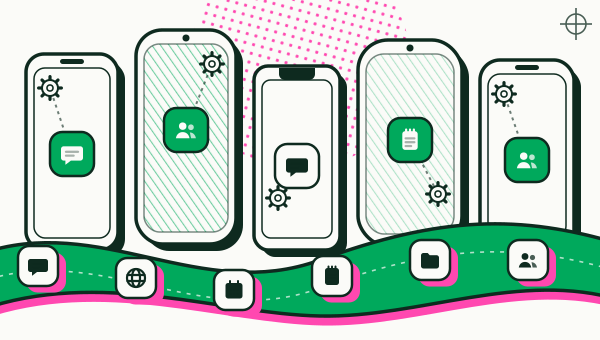
Where Is Dual Apps in Settings? Samsung, Xiaomi, OPPO
Which Android phones have built-in dual apps? Samsung puts it under Advanced features and Xiaomi under Apps…6 min read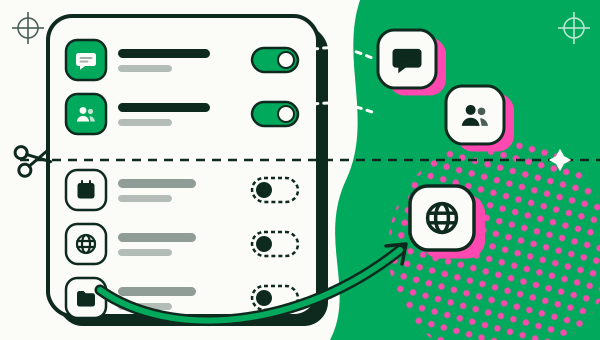
Dual Messenger on Samsung: What It Is, How to Use It
Dual Messenger on a Samsung Galaxy adds one extra copy of supported apps. How to turn it on in Advanced…5 min read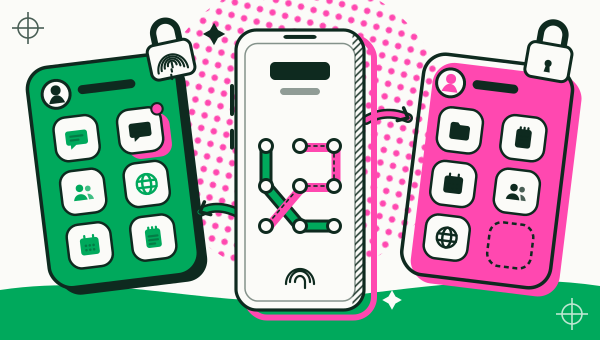
Second Space vs Dual Apps on Xiaomi: What's the Difference?
Second Space is a separate profile on a Xiaomi phone; Dual apps copies one app. How to turn Second Space on…7 min read
Questions people ask first
My phone already has dual apps. Why Duo Clone?
Built-in dual apps cover only some apps and some brands. Duo Clone works with the apps you choose on any Android 6 to 16 phone.
Do both copies get notifications?
Yes, once you allow notifications for Duo Clone. Alerts are not labelled with the copy’s name, so use each copy’s name and colour in Duo Clone to keep accounts apart.
Can I add a third account later?
Yes. Make another copy whenever you need it; it gets its own Account and sign-in, and the original app and your first copy stay signed in.
What happens if I delete the second copy?
Everything stored in that copy is erased from your phone; the original app is not touched. Make an encrypted backup of the copy first if you might want it back.
Where is the dual apps setting on my phone?
It depends on the brand and software version: look in Settings for a name such as Dual Messenger (Samsung), Dual apps (Xiaomi), App Cloner (OPPO, realme, OnePlus), App Clone (vivo) or App Twin (Huawei), or search Settings for “dual” or “clone”.

Your second account is one copy away.
Google Play is the only official channel for Duo Clone. This is the icon to look for.