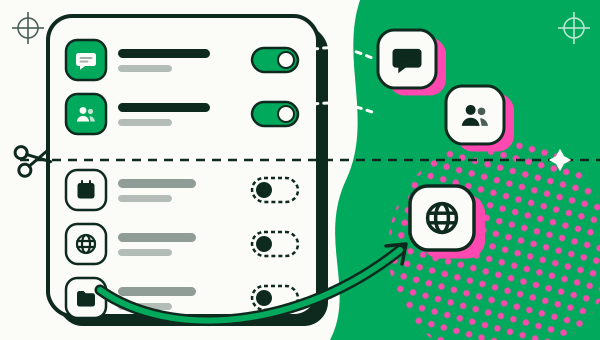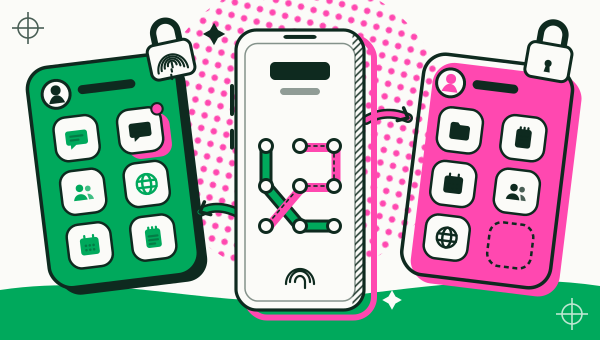
To run two accounts of the same app on one Android phone, make a second copy of the app and sign in to your other account inside that copy, so two accounts of one app stay signed in side by side. With Duo Clone it takes five steps: open Duo Clone, pick the app, set up the copy, open it, and sign in. Each copy gets its own name and colour, up to five copies can be created at once, and banking or wallet apps will not open in a copy.

What do you need before you start?
You need an Android phone running Android 6 to 16, the app you want to copy already installed, and Duo Clone. Google Play is the only official channel for Duo Clone; it is never offered as an APK. You also need the login details of the second account.
How do you make a second copy of an app?
Open Duo Clone, tap the add button, choose the app, name the copy, and sign in to your second account inside it. Both accounts then stay signed in.
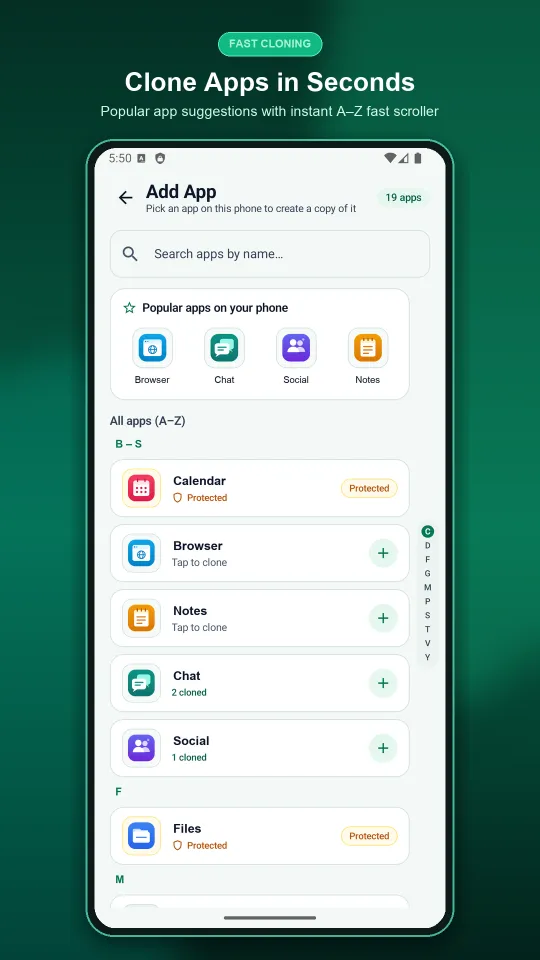
- Open Duo Clone and tap the add button. It opens the Add App screen, which lists the apps on your phone.
- Pick the app. Use the search box, the “Popular apps on your phone” shortcuts or the A–Z list. An app marked Protected, such as a banking or wallet app, cannot be copied.
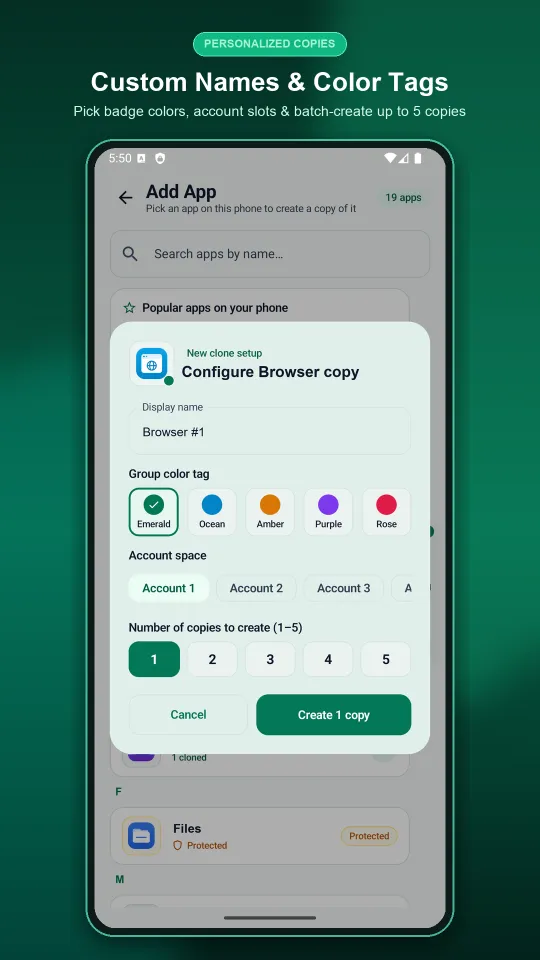
- Set up the copy. In the setup sheet, choose a display name, a colour tag and an account space, then tap Create.
- Open the copy. Find it in My Clones and tap Open.
- Sign in with your second account. Keep the original app on your first account. Both stay signed in.
How do you tell the two copies apart?
Give each copy its own name, icon and colour badge, and group copies as Account 1, Account 2 and so on. The setup sheet asks for a display name (for example “Chat Work”), a colour tag from a short palette, and an account space.
In My Clones you can switch the list between by-app and by-account views, and between list and grid. Grouping by account puts “Chat Work” and your work notes together, apart from your personal copies. Work and personal accounts on one phone goes deeper on naming Accounts and locking the work side.
How do you get notifications from both accounts?
Allow notifications for Duo Clone, then turn on “Allow notifications” for each copy from its long-press menu. Duo Clone does not add the copy’s name to an alert, so a notification on its own may not show which account it is for. Open Duo Clone to see which copy is which: the name, icon and colour you gave each copy are what keep the two accounts apart.
To move between running copies quickly, use the quick-switch bubble or the quiet notification, so you do not need to go back to the My Clones list each time.
Can you run more than two copies of the same app?
Yes. The setup sheet lets you choose how many copies to create at once, from one to five, and more than one copy can run at the same time. A phone with one personal and two work accounts of the same app is the typical case.
If a built-in feature already covers your phone and app, you may not need this. Dual Messenger on Samsung shows what Samsung offers, and the guide to dual apps on any Android phone explains where a built-in option stops.
Should you back up before you experiment?
Yes. Deleting a copy erases everything stored in it from your phone. Use encrypted backup to save a copy to a file locked with your own password, then restore it as a new copy or over an old one. Do this before you delete a copy or change a setup you may want back.
What will not work in a copy?
Banking and wallet apps will not open in a copy, because Duo Clone blocks apps that ask Android for a secure environment. Keep using those in the original app. Apps that cannot be cloned lists the signs.
A copy also reports your real phone and location, and copies share one Android user. Is an app cloner safe explains what that means, along with each app’s terms.
For the bigger picture, see what an app cloner is and the multiple accounts page. Quick answers are in the frequently asked questions.
How we checked: the Add App screen, the setup sheet, the copy count and the notification switch were compared with the Duo Clone app on 18 November 2026, on an Android 16 emulator with generic sample apps.