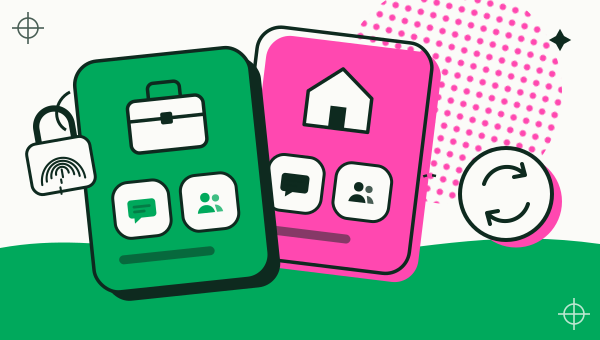
You can have two Instagram accounts on one Android phone without any extra app: open your profile, tap your username at the top, choose Add Instagram account, and log in to the second account. Instagram’s Help Center says you can then switch between accounts without logging out, with up to 10 accounts logged in at one time. A Duo Clone copy is the better fit only when you want a separate app icon, its own lock and its own sign-in kept apart from the main Instagram app.
How do you add a second Instagram account in the app?
Add it from your profile: tap your profile picture at the bottom right, tap your username at the top, tap Add Instagram account, then log in to an existing account or create a new one. Instagram’s help page on adding and switching profiles describes this flow and says the account is added so you can switch without logging out and back in.
- Create a new account: choose Create new account, enter a profile name, then follow the prompts. The page notes that new profiles can be added to your Accounts Center, or you can create a password for the profile instead.
- Add an account you already have: enter its username and password, then log in.
- Switch: tap your username at the top of your profile and pick the account you want.
Instagram says it is gradually moving people to Meta Accounts, so you may see either Accounts Center or Meta Account settings. This was checked on 18 November 2026; button names differ between app versions, so look for the add-account option under your username.
How many Instagram accounts can one phone hold?
Up to 10 accounts can be logged in at one time, according to the same help page. That is more than most people need, which is why the built-in switcher is usually the right answer.
When is a Duo Clone copy better than the built-in switcher?
A copy is better when you want the second account to behave like a separate app. Duo Clone makes a second copy of Instagram from the app already on your phone, and the copy keeps its own sign-in, the same way it handles multiple accounts on Android. That gives you:
- Its own icon and name. Name the copy “Insta Shop” or “Insta Personal”, and pick a colour badge, so you can tell the copies apart in Duo Clone. Notifications are not relabelled with that name.
- A lock on one account. You can move a copy into Private Space behind a PIN or fingerprint, so the account stays hidden until you unlock it.
- Accounts grouped as spaces. Copies sort into named Accounts such as Work and Personal, and you can back an Account up as one encrypted file.
- Logins kept apart from the main app. A copy keeps its own storage, so a login made inside it is stored apart from the main Instagram app.
If you only need a personal and a second account and do not care about a lock or a separate icon, stay with Instagram’s switcher. The work and personal accounts guide shows how the lock and the Account groups are set up.
How do you set up a second Instagram in Duo Clone?
Install Instagram from Google Play, add it as a copy in Duo Clone, and log in to your second account inside the copy. These are Duo Clone’s general steps for any app:
- Install the official Instagram from Google Play if it is not on your phone yet.
- Open Duo Clone and tap the add button. Pick Instagram from the list of apps on your phone.
- Name the copy and pick a colour, then tap Create 1 copy.
- Open the copy from My Clones and log in with the second account.
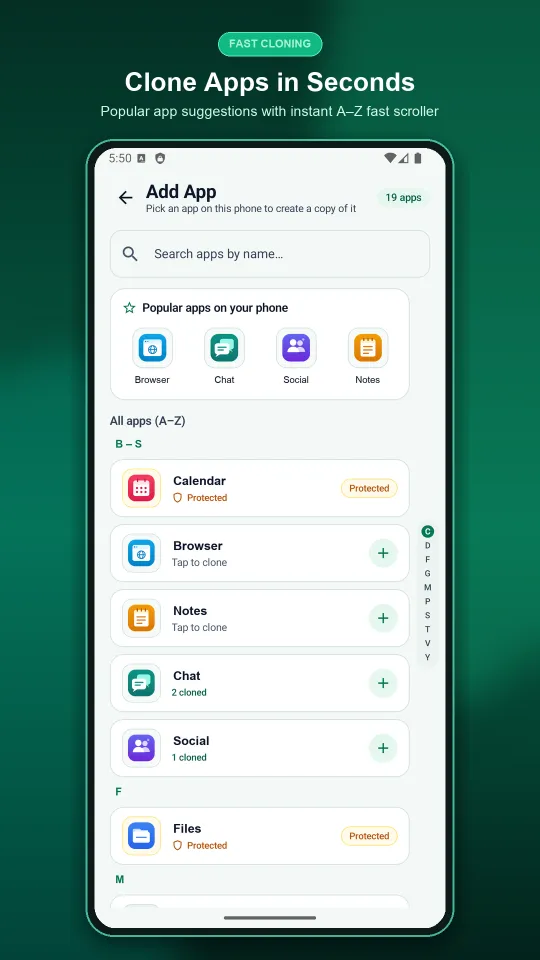
The full walk-through of a copy, including notifications and quick switching, is in how to run two accounts on one Android phone.
Can Duo Clone be used to see someone else’s Instagram?
No. A Duo Clone copy is a second copy of Instagram on your own phone, where you sign in with your own account and password. It cannot open another person’s Instagram account or read their messages, and it is not a monitoring tool.
What does a copy not change?
A copy does not change Instagram’s rules, and it does not make an account safer from Instagram.
- Instagram’s rules still apply. Rules on spam, fake accounts and automated activity apply to every account however you log in. Duo Clone is not a way around them.
- Check the terms. Instagram’s terms are Meta’s to interpret, and its pages do not describe copy apps, so Duo Clone cannot promise how an account used inside a copy is treated.
- The usual limits of a copy. No device-ID or GPS change, and no security sandbox (the risks of cloning an app).
The same pattern applies to chat apps; WhatsApp has its own second-account feature that is worth trying first.
Duo Clone is an independent app and is not affiliated with Instagram or Meta. Source checked on 18 November 2026: Instagram Help Center, How to add and switch between Instagram profiles.
How we checked: the Duo Clone add-copy steps and Private Space were compared with the app on 18 November 2026, on an Android 16 emulator with generic sample apps. Instagram’s own steps and limits come from the Instagram help page above, read the same day.